1: Introduction to MS Paint
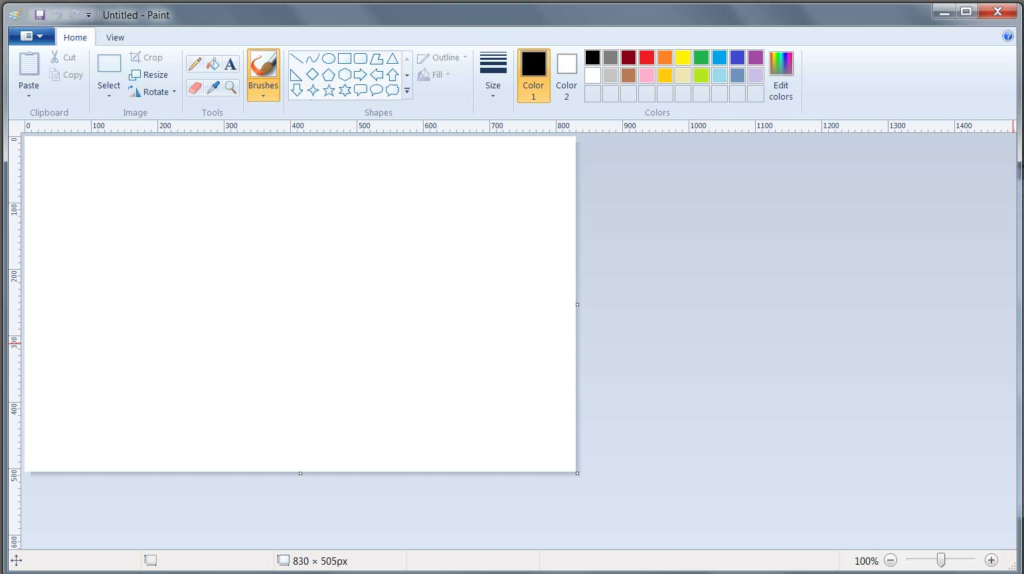
MS Paint (Microsoft Paint) is a basic drawing and image editing program developed by Microsoft. It comes pre-installed with Windows and is mainly used for creating and editing simple pictures.
It is popular among beginners because of its easy-to-use interface and simple tools.
2: Features of MS Paint
MS Paint provides several useful features:
- Drawing Tools: Pencil, brush, airbrush
- Shapes Tool: Draw circles, rectangles, arrows, etc.
- Text Tool: Add text to images
- Fill Tool: Fill colors inside shapes
- Color Palette: Choose and customize colors
- Zoom Tool: View image closely
3: Parts of MS Paint Window
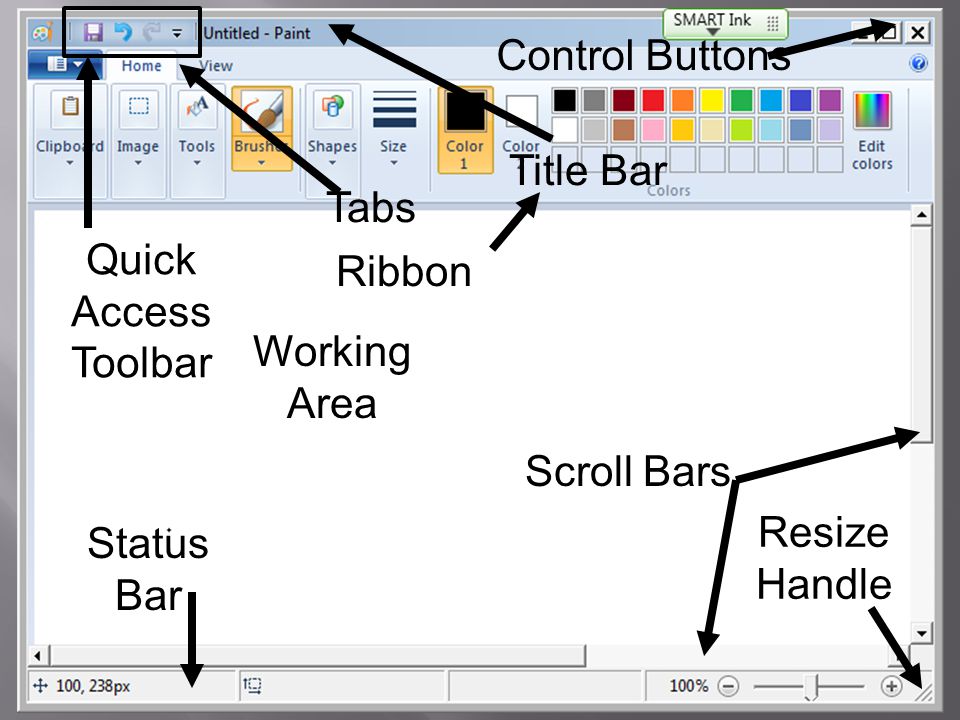
The MS Paint window consists of:
- Title Bar: Shows the file name
- Ribbon/Toolbar: Contains all tools and options
- Drawing Area (Canvas): Where you draw
- Color Box: Displays selected colors
- Status Bar: Shows image details
4: How to Start MS Paint
Steps to open MS Paint:
- Click on Start Menu
- Type Paint in the search bar
- Click on the Paint app
5: Basic Operations
1. Drawing
Use pencil or brush to draw freely.
2. Coloring
Use the fill tool to add colors.
3. Saving a File
- Click on File → Save As
- Choose file type (JPEG, PNG, etc.)
- Give a file name and click Save
6: Editing an Image
You can:
- Resize images
- Crop unwanted parts
- Rotate pictures
- Copy and paste sections
7: Advantages of MS Paint
8: Limitations of MS Paint
- Limited advanced features
- Not suitable for professional editing
- Basic tools only
- Easy to use
- Free with Windows
- Good for beginners
- No internet required